Overview#
_upsounds is my independent product line of tools for playback engineers. It started with UP LTC Display, a native timecode plugin. It grew into a set of Ableton Live tools, each one built around something I kept doing by hand while running playback.
The Max for Live utilities follow one rule: drop the device on a MIDI track, press one button. There's no setup screen, and every button can be mapped to a MIDI controller. During a show, my hands belong on the controller, not on the mouse.
Why I Built Them#
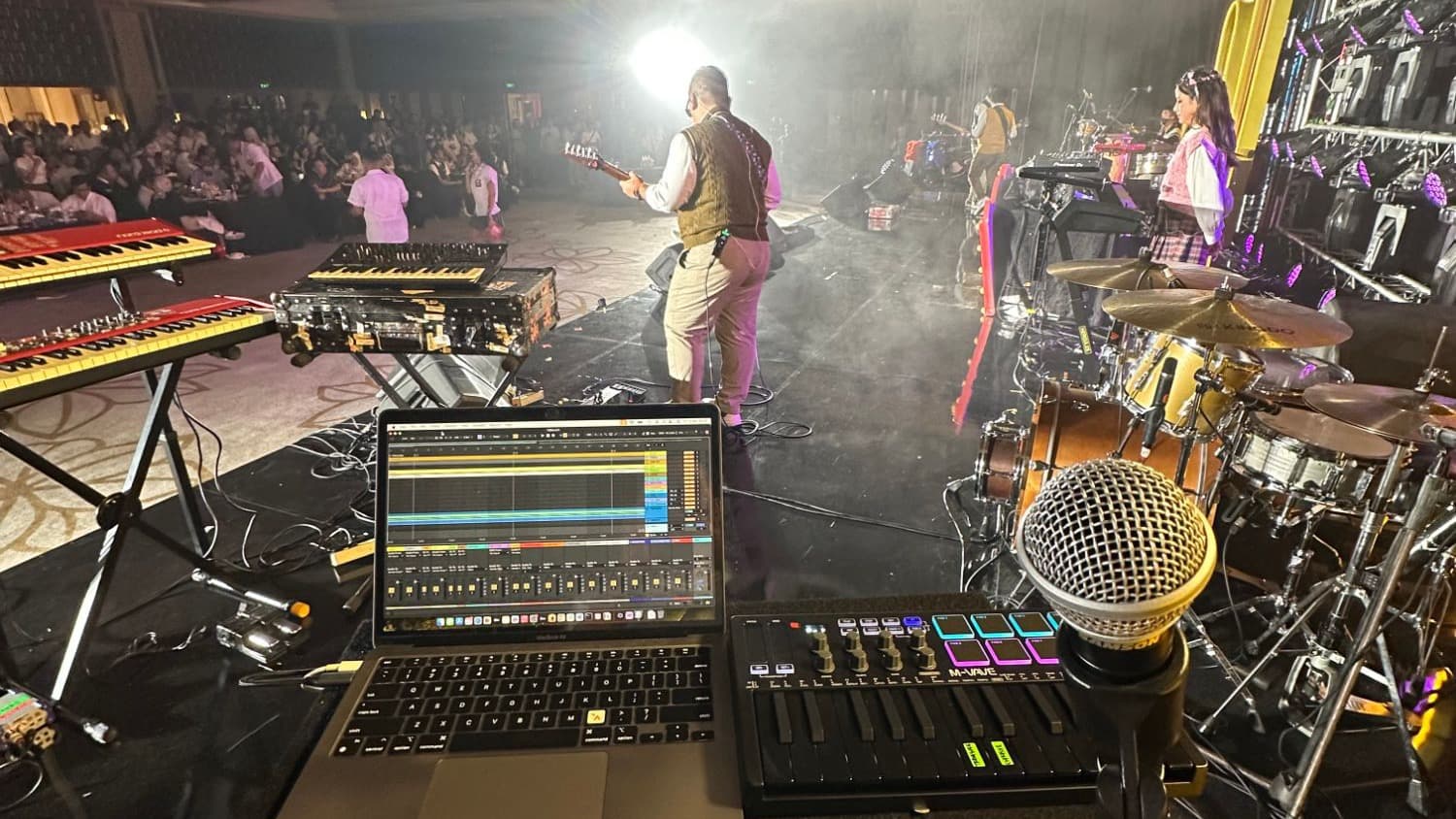
Playback in a live show isn't a studio session. The arrangement is set before the show starts, but the show itself doesn't always follow it. A worship leader repeats a chorus, an artist talks to the audience, a band holds a section longer than planned. When that happens, the playback engineer has a second or two to react, usually with one hand. In Ableton those reactions take several clicks: set loop brackets, change global quantization, place locators. These devices turn each one into a single button.
The Devices#
UP MIDI Click Player#
Problem: Every song in a live set needs a click track the band can follow. A new song often has none, and the click baked into a bought multitrack may not suit the drummer: the sound is wrong, the accent is too loud, or the subdivisions are missing.
What it does: It builds the click from MIDI, so you can make one for a new song or swap out the click from an existing multitrack. You can change the click sound, turn the accent on or off, and set the 8th-note and 16th-note volumes separately. It comes with 8 click samples and 7 ready-made MIDI clips, and I add more clips when someone asks.
- Requires: Ableton Live 11
- The flagship of the catalog, priced at IDR 159,000. The click samples are free; the price covers the tool itself.
UP Locator Makers#
Problem: Locators are how a playback engineer moves around a song: intro, verse, chorus, bridge. Placing them by hand for every song in a setlist is slow, repetitive work, and it's easy to get wrong.
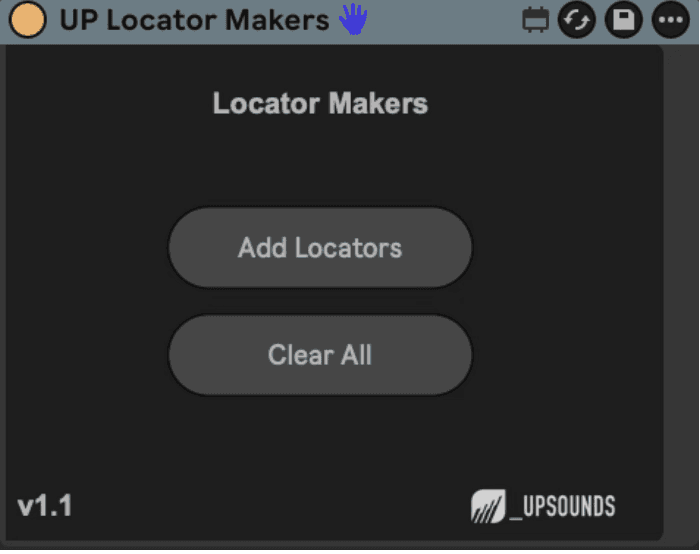
What it does: Drop it on the MIDI track that holds your song-section clips and press Add Locators. It reads every clip on that track and creates a locator at the start of each one. Since v1.1, it also renames each locator after its clip, on Ableton Live 12.1 and above. Clear All removes every locator so you can start over.
- Released: December 2025 (current version v1.1)
- Requires: Ableton Live 11 Suite, Max 8.3.1
UP Loopers#
Problem: Something unplanned happens on stage, like the audience joins in or the artist stretches a moment, and the section you're in needs to repeat. Dragging loop brackets into place live takes too long. Waiting for the bar to end before you can act can make you miss the moment.
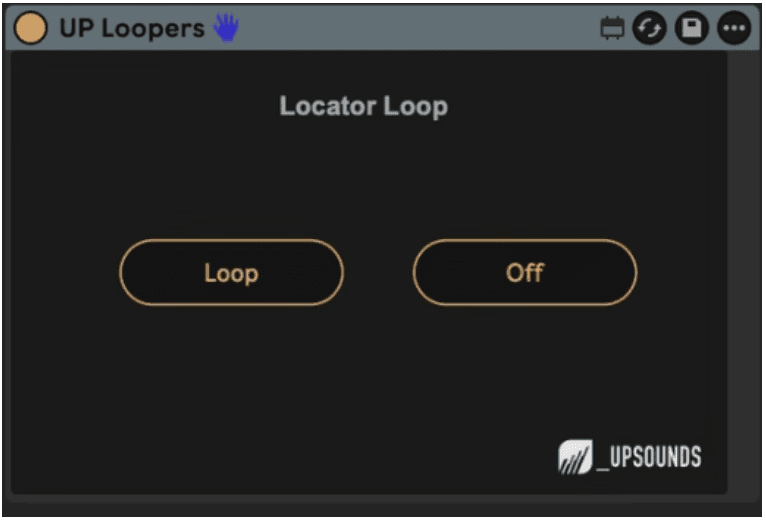
What it does: Press Loop and the device finds the locators just before and just after the current song position, sets the loop region between them, and turns looping on. Off turns the loop off again, so playback carries on into the next section. It also helps engineers who send MIDI to other gear over the IAC Driver: they can loop part of a setlist without re-enabling tracks.
- Released: January 2026 (v1.0)
- Requires: Ableton Live 10 Suite, Max 8.x
UP Quantization Changer#
Problem: Playback engineers switch Ableton's global launch quantization all the time. They use 1 Bar to keep transitions on the grid and None to jump instantly. The setting sits in a dropdown that you can't reach quickly from a controller.
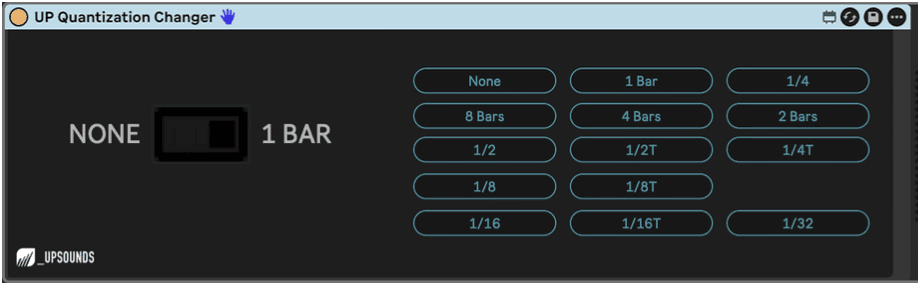
What it does: One big toggle switches global quantization between None and 1 Bar, and you can map it to any button on your MIDI controller. For the less common cases, it also has a button for every other quantization value, from 8 Bars down to 1/32, triplets included.
- Released: March 2026 (v1.0)
- Requires: Ableton Live 10 Suite, Max 8.x
Technologies Used#
- Max for Live: Each device is a Max MIDI Device that runs inside Ableton Live.
- Live Object Model (LOM): Through the Live API, the devices read the song position, arrangement clips and existing locators. They write locators, loop regions and global quantization.
- Video demos: Every release ships with a demo on YouTube and Instagram (@_upsounds).
Challenges and Learnings#
- Simple is harder than it looks. Hiding every option behind one button meant deciding the right default for every edge case. For example: what UP Loopers should do when the playhead sits before the first locator, or after the last one.
- Supporting several Live versions. Each device runs on Live 10 or 11 and up. UP Locator Makers renames locators only on Live 12.1 and above, so I had to decide whether to block the feature on older versions or let it degrade. I chose to let it degrade.
- Building in public. Each launch post ends by asking engineers which tool they want next, which keeps the roadmap tied to real problems on stage instead of my guesses.
Outcome#
All of these are sold through the _upsounds storefront. UP MIDI Click Player costs IDR 159,000. The three utility devices are pay-what-you-want, starting at IDR 30,000. They sit alongside UP LTC Display and several free Ableton templates.
As of October 2026, product pages across the catalog have drawn 3,000+ views and 750+ downloads and sales:
- 37 paid licenses across the five paid tools. UP Locator Makers sells best at 12 licenses, from 185 views (about 6.5% of visitors buy).
- 718 free downloads of the free templates and devices. The Empty Song Template alone has 406 downloads, and UP Drone Pad+ has 84.
The free templates bring engineers in, and the paid tools solve the problems those same engineers run into next.
This project lets me run a product on my own from end to end: spotting the problem from my own seat at the playback desk, building it, testing it on real shows, pricing it, and supporting the people who use it.